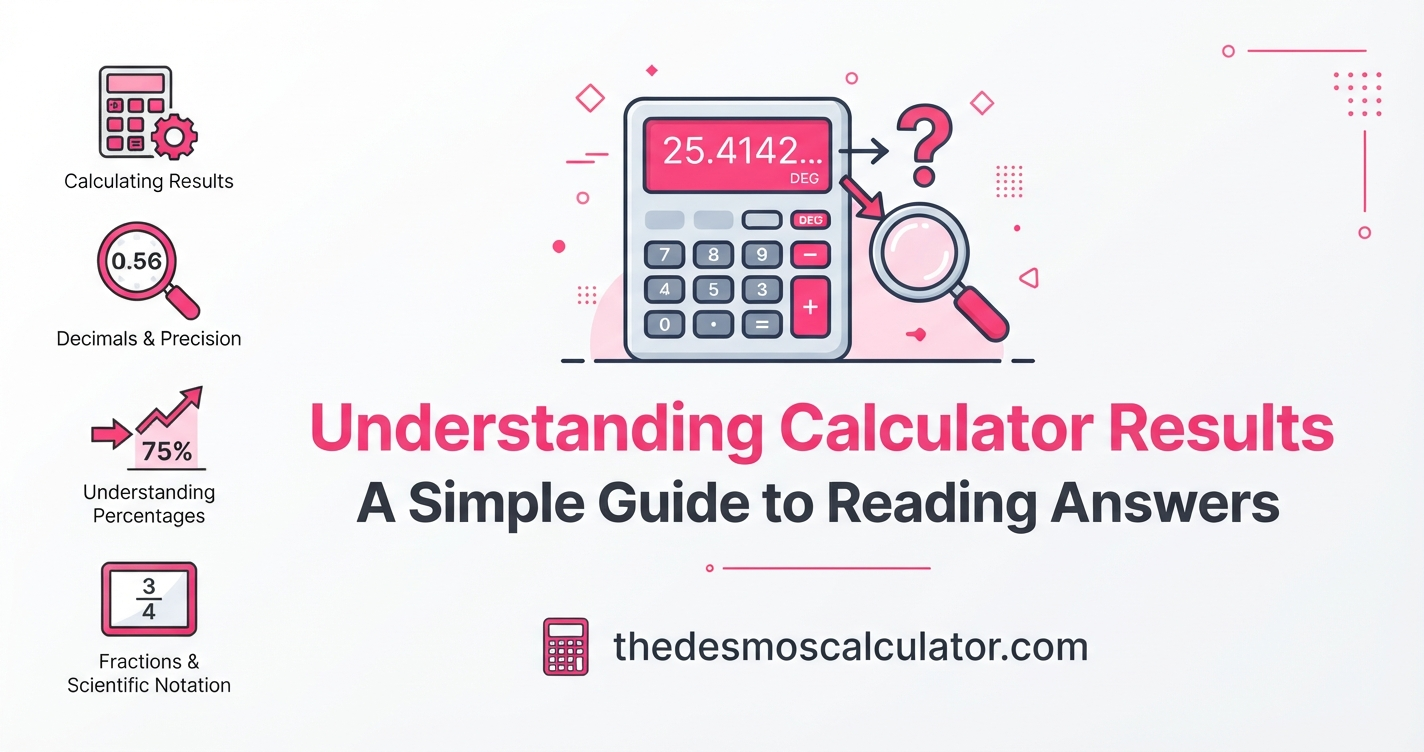
A calculator can give you an answer in seconds, but getting a number on the screen is only part of the job. You also need to understand what that number means.
A result may appear as a decimal, fraction, percentage, negative number, scientific notation, or a number with many decimal places. Depending on the calculator you use, you may also see words such as average, total, rate, percentage, principal, interest, BMI, BMR, or estimated result.
Understanding these results helps you avoid mistakes.
For example, a calculator may show 0.75, 75%, or 3/4. These three results represent the same value, but each format can be useful in a different situation.
Calculator results also depend on the numbers you enter, the formula used, the units, and the rounding method. A calculator follows the calculation you give it. It cannot know whether you entered the right information or whether the formula is appropriate for your situation.
This guide explains how to read calculator results in simple English and how to check whether an answer makes sense.
What Does a Calculator Result Mean?
A calculator result is the value produced after the calculator processes the numbers and operations you entered.
For example:
25 + 35 = 60
Here:
- 25 is the first input.
- 35 is the second input.
- + is the operation.
- 60 is the result.
For more advanced calculators, the result may be based on a formula.
For example, a BMI calculator may use your height and weight to calculate a BMI value. A mortgage calculator may use the loan amount, interest rate, and loan period to estimate payments.
The important point is that the result depends on the information entered and the method used by the calculator. A precise-looking number does not automatically mean that the real-world answer is equally precise.
Simple Example
Suppose you enter:
100 ÷ 3
The calculator may show:
33.3333333333
This does not mean you need to use every decimal place.
You may report the answer as:
- 33.3333 for more detail
- 33.33 to two decimal places
- 33.3 to one decimal place
- 33⅓ as a fraction
The correct format depends on what you are using the result for.
Why Is It Important to Understand Calculator Results?
A calculator is a tool, not a replacement for understanding.
If you only copy the number shown on the screen, you may miss an important detail such as the unit, percentage, rounding, or assumption behind the calculation.
For example, imagine a calculator gives you:
2.5
That number could mean:
- 2.5 miles
- 2.5 kilograms
- 2.5%
- 2.5 hours
- $2.50
- a mathematical value with no unit
The number itself does not tell you everything.
Always look at the label, unit, formula, and input values before using a result.
Important Points
- Check what the result represents.
- Check the unit.
- Check whether the answer is exact or estimated.
- Look at rounding.
- Check your input values.
- Make sure you used the correct calculator.
- Do not assume more decimal places mean more real-world accuracy.
Common Types of Calculator Results
Different calculators display answers in different ways.
Here are some of the most common result formats:
| Result type | Example | What it means |
|---|---|---|
| Whole number | 25 | A number without a decimal part |
| Decimal | 25.75 | A number containing a decimal part |
| Fraction | 25/4 | One number divided by another |
| Percentage | 25% | 25 parts out of 100 |
| Negative number | -15 | A value below zero |
| Scientific notation | 2.5 × 10⁶ | A compact way to write a very large number |
| Currency | $125.50 | A monetary amount |
| Measurement | 25.5 cm | A number with a unit |
| Approximate result | ≈25.5 | A result that has been rounded or estimated |
Knowing these formats makes calculator answers much easier to understand.
How to Understand Decimal Results
A decimal is a number that contains a decimal point.
For example:
12.5
The number 12 is the whole-number part, while 5 is in the tenths place.
Consider:
12.5678
The digits mean:
| Digit | Place |
|---|---|
| 1 | Tens |
| 2 | Ones |
| 5 | Tenths |
| 6 | Hundredths |
| 7 | Thousandths |
| 8 | Ten-thousandths |
Decimal results are common in calculators because many mathematical operations do not produce whole numbers.
For example:
10 ÷ 4 = 2.5
But:
10 ÷ 3 = 3.333333…
The second answer continues indefinitely. A calculator therefore displays only a certain number of digits.
Why Does My Calculator Show So Many Decimal Places?
Some calculations produce repeating or very long decimal values.
For example:
1 ÷ 7 = 0.142857142857…
A calculator cannot display an endless number of digits, so it shows a limited number.
You might see:
0.1428571429
This is a displayed approximation of the mathematical value.
The calculator may keep additional precision internally and show a shorter rounded value on the screen. The way a particular calculator handles display and internal precision can vary.
Example
Suppose:
2 ÷ 3
The mathematical value is:
0.666666…
You could report it as:
- 0.6667 to four decimal places
- 0.67 to two decimal places
- 0.7 to one decimal place
- 2/3 as an exact fraction
The best choice depends on the purpose of the calculation.
Fractions and Decimals Can Represent the Same Value
A calculator may display an answer as a fraction or decimal.
For example:
1/4 = 0.25 = 25%
These are different ways of writing the same value.
| Fraction | Decimal | Percentage |
|---|---|---|
| 1/2 | 0.5 | 50% |
| 1/4 | 0.25 | 25% |
| 3/4 | 0.75 | 75% |
| 1/5 | 0.2 | 20% |
| 3/5 | 0.6 | 60% |
Some scientific calculators allow users to switch between fraction and decimal displays.
Which Format Should You Use?
Use the format that makes the answer easiest to understand.
For school mathematics, a fraction may be preferred when an exact answer is required.
For money, a decimal is usually easier to use.
For discounts, tax, and changes, a percentage may be easier to understand.
How to Understand Percentage Results
Percent means per hundred.
For example:
25% = 25/100 = 0.25
Suppose a calculator tells you that your score is:
82%
This means you achieved 82 parts out of every 100 under the calculation being used.
Percentage calculators are commonly used for:
- Discounts
- Sales tax
- Tips
- Exam scores
- Percentage increases
- Percentage decreases
- Profit margins
- Interest
- Changes between two values
Example
If an item costs $100 and receives a 20% discount:
20% of $100 = $20
Then:
$100 − $20 = $80
The final price is $80 before any other applicable charges.
Always check whether the calculator is showing the percentage amount or the final value.
How to Understand Negative Calculator Results
A negative result is a number below zero.
For example:
15 − 20 = −5
The result is negative because 20 is greater than 15.
Negative results can appear in many calculations.
Examples include:
- Temperature below zero
- Losses
- Debt or balances
- Change in value
- Differences between two numbers
- Coordinate calculations
A negative result is not automatically an error.
You need to understand what the calculation represents.
For example, if you calculate the change from 100 to 80:
80 − 100 = −20
The negative sign shows that the value decreased by 20.
How to Understand Rounding in Calculator Results
Rounding changes a number to a shorter or simpler value.
For example:
15.678
Rounded to two decimal places:
15.68
Rounded to one decimal place:
15.7
The usual method is to look at the next digit.
| Next digit | General rounding action |
|---|---|
| 0–4 | Keep the previous digit |
| 5–9 | Increase the previous digit by 1 |
For example:
12.43 → 12.4 to one decimal place.
But:
12.47 → 12.5 to one decimal place.
Different technical standards can use different rules for exact halfway cases, so when precision is important, check which rounding convention your calculator or field requires.
Decimal Places vs. Significant Figures
These two ideas are easy to confuse.
Decimal places count digits after the decimal point.
Significant figures describe meaningful digits used to represent the precision of a number.
For example:
12.345
has:
- 3 decimal places
- 5 significant figures
Another example:
0.00450
has three significant figures: 4, 5, and the final 0. Leading zeros do not count as significant figures, while trailing zeros after a decimal point can indicate precision.
Why Does This Matter?
If you are working with measurements, reporting too many digits can suggest a level of precision that your original measurement does not support.
For example, if you measure something only to the nearest centimeter, reporting the final result to many decimal places may give a misleading impression of precision.
How to Read Scientific Notation
Very large and very small numbers can be difficult to display normally.
Scientific notation makes them shorter.
For example:
2,500,000 = 2.5 × 10⁶
And:
0.0000025 = 2.5 × 10⁻⁶
The exponent tells you how far the decimal point moves.
Positive Exponent
2.5 × 10⁶
Move the decimal point six places to the right:
2,500,000
Negative Exponent
2.5 × 10⁻⁶
Move the decimal point six places to the left:
0.0000025
Scientific calculators may automatically display very large or very small numbers in scientific notation depending on their display mode.
What Does E Mean on a Calculator?
You may see something like:
3.5E6
The E usually represents a power of 10.
So:
3.5E6 = 3.5 × 10⁶
which equals:
3,500,000
Similarly:
2E-4 = 2 × 10⁻⁴
which equals:
0.0002
E notation is simply a compact way to display scientific notation.
How to Understand Calculator Units
One of the most important parts of a calculator result is the unit.
A number without its unit may be difficult to interpret.
For example:
50
could mean:
- 50 meters
- 50 kilograms
- 50 dollars
- 50 seconds
- 50 miles per hour
Always check the unit used by the calculator.
Common Units
| Type | Common units |
|---|---|
| Length | mm, cm, m, km, in, ft, mi |
| Weight | g, kg, oz, lb |
| Time | seconds, minutes, hours |
| Speed | mph, km/h, m/s |
| Area | m², ft², acres |
| Volume | L, mL, gallons |
| Temperature | °C, °F |
| Money | $, £, €, etc. |
Using the wrong unit can produce a result that looks correct but is actually wrong.
Why Calculator Results Can Be Different
Two calculators can sometimes produce slightly different results.
This does not always mean one calculator is broken.
Differences may come from:
- Different formulas
- Different assumptions
- Different input definitions
- Different rounding rules
- Different units
- Different timing or compounding methods
- Different levels of precision
This is especially important with financial, health, statistical, and other calculators where the formula may involve assumptions.
A calculator result is conditional on the inputs and model behind it.
Exact Results vs. Estimated Results
Not every calculator result should be treated as an exact real-world measurement.
For example:
2 + 2 = 4
is an exact mathematical calculation.
But a mortgage calculator may provide an estimate because the real cost can depend on factors such as fees, taxes, rate changes, and other conditions.
Similarly, health and nutrition calculators may use standard formulas and entered information to provide estimates rather than measurements of your actual body or future outcome.
A Simple Rule
Ask:
“Is this pure mathematics, or is this a real-world estimate?”
That question can help you understand how much confidence to place in the result.
How Calculator Inputs Affect Results
The calculator can only work with the information you provide.
Imagine you use a loan calculator with:
- Loan amount: $20,000
- Interest rate: 6%
- Term: 5 years
If you accidentally enter 60% instead of 6%, the calculator may still produce a result.
The calculator does not necessarily know that your input was a mistake.
That is why checking your inputs is one of the most important steps.
Before Clicking Calculate
Check:
- Number
- Unit
- Percentage
- Date
- Time period
- Interest rate
- Formula
- Measurement
- Selected calculator mode
How to Check If a Calculator Result Makes Sense
You do not always need to repeat a complicated calculation by hand.
A quick reasonableness check can catch many mistakes.
Step 1: Look at the Inputs
Ask whether the numbers you entered are correct.
Step 2: Check the Units
Make sure you did not mix miles with kilometers or pounds with kilograms.
Step 3: Estimate the Answer
Before trusting the calculator, make a rough mental estimate.
Step 4: Look at the Formula
Make sure the calculator is designed for the question you are asking.
Step 5: Check Rounding
See whether the displayed number has been rounded.
Step 6: Compare With Another Method
For important calculations, repeat the calculation using another trusted method.
Common Calculator Mistakes
Even a good calculator can produce an unexpected result when the inputs or operation are wrong.
| Mistake | Example | Better approach |
|---|---|---|
| Wrong number | Entering 15 instead of 51 | Check every input |
| Wrong unit | Using feet instead of meters | Confirm units |
| Wrong percentage | Entering 5 instead of 0.05 | Follow the calculator instructions |
| Wrong operation | Using + instead of − | Review the expression |
| Ignoring parentheses | Entering a formula incorrectly | Use brackets |
| Rounding too early | Rounding every step | Keep precision until the end |
| Reading the wrong output | Confusing total with monthly value | Read result labels |
| Using the wrong calculator | Using a simple calculator for a specialized problem | Choose the correct tool |
| Assuming an estimate is exact | Treating an estimate as a guaranteed value | Review assumptions |
Why Parentheses Matter in Calculator Results
The order of operations can change the answer.
For example:
10 + 5 × 2
is normally calculated as:
10 + 10 = 20
But:
(10 + 5) × 2
equals:
15 × 2 = 30
The parentheses change the calculation.
When using a calculator for a longer expression, use parentheses where needed.
This is particularly important with scientific, engineering, finance, and other advanced calculations.
Why Rounding Too Early Can Cause Errors
Suppose you calculate several steps.
If you round the answer after every step, the final result may be different from the result you get when you keep the full precision until the end.
For example:
Step 1: 10 ÷ 3 = 3.333…
If you immediately round this to:
3.3
and use 3.3 in the next calculation, your final answer may differ from using the full value.
A common best practice is to keep full precision during intermediate calculations and round the final displayed answer, unless the instructions for your calculation specifically require rounding at an earlier stage.
How to Understand Results From Different Calculators
Different calculators answer different questions.
Percentage Calculator
Usually helps with percentages, increases, decreases, and percentage differences.
Age Calculator
May show your age in years, months, days, or a combination.
BMI Calculator
Uses information such as height and weight to calculate a BMI value.
Mortgage Calculator
May estimate monthly payments, interest, and total cost based on the inputs.
Loan Calculator
May calculate payment amounts, interest, or repayment schedules.
Scientific Calculator
Can handle more advanced mathematical operations such as powers, roots, logarithms, and trigonometric functions.
Unit Converter
Changes a measurement from one unit to another.
The result should always be interpreted according to the purpose of the calculator.
Calculator Results: What Should You Look At?
When you use an online calculator, do not look only at the biggest number on the screen.
Check the complete result.
| What to check | Why it matters |
|---|---|
| Main answer | Shows the calculated value |
| Unit | Explains what the number represents |
| Formula | Shows how the answer was produced |
| Inputs | Determines the calculation |
| Rounding | Explains displayed precision |
| Assumptions | Shows conditions behind an estimate |
| Additional results | May provide useful supporting information |
| Date or rate | Important for changing information |
This approach makes calculator results easier to understand and reduces avoidable mistakes.
A Simple Example of Reading a Calculator Result
Imagine a calculator gives you:
Monthly Payment: $386.66
Total Interest: $3,199.60
Total Cost: $23,199.60
Do not read only the first number.
The result tells you several things:
- $386.66 is the regular monthly payment under the calculator’s assumptions.
- $3,199.60 is the calculated interest over the specified period.
- $23,199.60 is the calculated total of principal and interest.
The exact interpretation depends on the calculator’s inputs and methodology.
This is why result labels are important.
How to Use Calculator Results Responsibly
Calculator results can be very useful for planning, learning, checking work, and making estimates.
However, the result should be understood in context.
For example:
- A financial calculator provides an estimate based on its assumptions.
- A health calculator may provide general information rather than a diagnosis.
- A construction calculator may depend on measurements and material assumptions.
- A school calculator can help with mathematical work but should still be understood by the student.
- A conversion calculator gives a mathematical conversion based on the units selected.
For important professional decisions, check the result against appropriate authoritative information or professional advice.
Quick Checklist for Understanding Any Calculator Result
Before using an answer, ask these questions:
1. What did I calculate?
Make sure you are using the right calculator.
2. Did I enter the correct numbers?
Check every input.
3. Are my units correct?
Do not mix incompatible units.
4. What does the result label mean?
Read the complete result.
5. Is the result exact or estimated?
Understand the nature of the calculation.
6. Has the result been rounded?
Check decimal places or significant figures.
7. Does the answer make sense?
Compare it with a rough estimate.
8. Do I need to verify it?
Important decisions may require additional checking.
Frequently Asked Questions
What is a calculator result?
A calculator result is the value produced after a calculator processes the numbers, operations, formula, and other information entered by the user.
Why does my calculator show many decimal places?
Some mathematical operations produce long or repeating decimal values. The calculator displays a limited number of digits, so the visible result may be a rounded representation.
Is a calculator result always accurate?
A mathematical calculation can be highly precise, but the usefulness of a real-world result also depends on the inputs, formula, assumptions, units, and rounding used.
What is the difference between a decimal and a fraction?
A decimal and a fraction can represent the same value in different forms. For example, 0.5 and 1/2 have the same mathematical value.
What does E mean on a calculator?
E commonly represents a power of ten. For example, 4E5 means 4 × 10⁵, or 400,000.
Why do two calculators give different answers?
They may use different formulas, assumptions, rounding methods, units, or calculation settings. Check the methodology and inputs of both calculators.
Should I round my calculator answer?
It depends on the purpose of the calculation. For many calculations, it is better to keep full precision during the calculation and round the final answer to the required number of decimal places or significant figures.
What are significant figures?
Significant figures are digits that communicate the precision of a measured or calculated number. They help prevent a result from appearing more precise than the original information supports.
How can I tell if my calculator answer is reasonable?
Check your inputs, units, formula, and result labels. Then make a rough estimate and compare it with the calculator’s answer.
Conclusion
Understanding calculator results is just as important as getting the answer.
A calculator can quickly perform difficult calculations, but you still need to understand what the result represents. Pay attention to decimal places, fractions, percentages, units, negative numbers, scientific notation, rounding, significant figures, and assumptions.
Most importantly, check your inputs before trusting the output. A calculator follows the information and calculation method it is given.
When you understand how to read calculator results, you can use online calculators more confidently for mathematics, finance, conversions, measurements, planning, and everyday calculations.
A good calculator does more than give you a number. It helps you understand what that number means.
Find more useful calculators across different categories.
Explore More Calculators